TwitterMatrixTicker Dot Matrix Tweet Printer
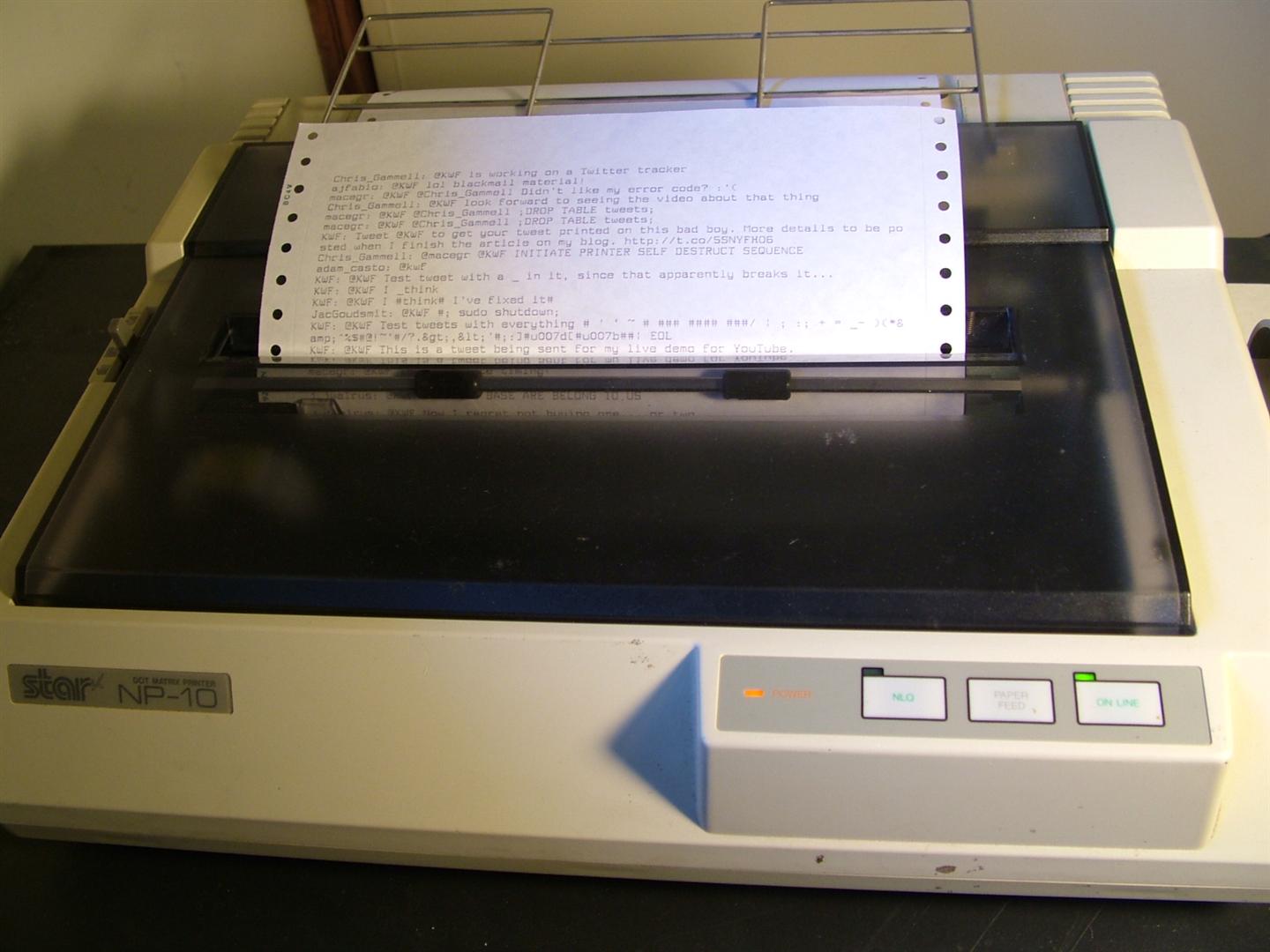
At the beginning of this month, at the Silicon Valley Flea Market, I managed to pick up an old Star NP-10 dot matrix printer in relatively good shape for $5. Due to other circumstances, I’ve also found myself in possession of just shy of two cases of tractor feed paper. I figured I would need to find a reasonable application for these two wonderful events.
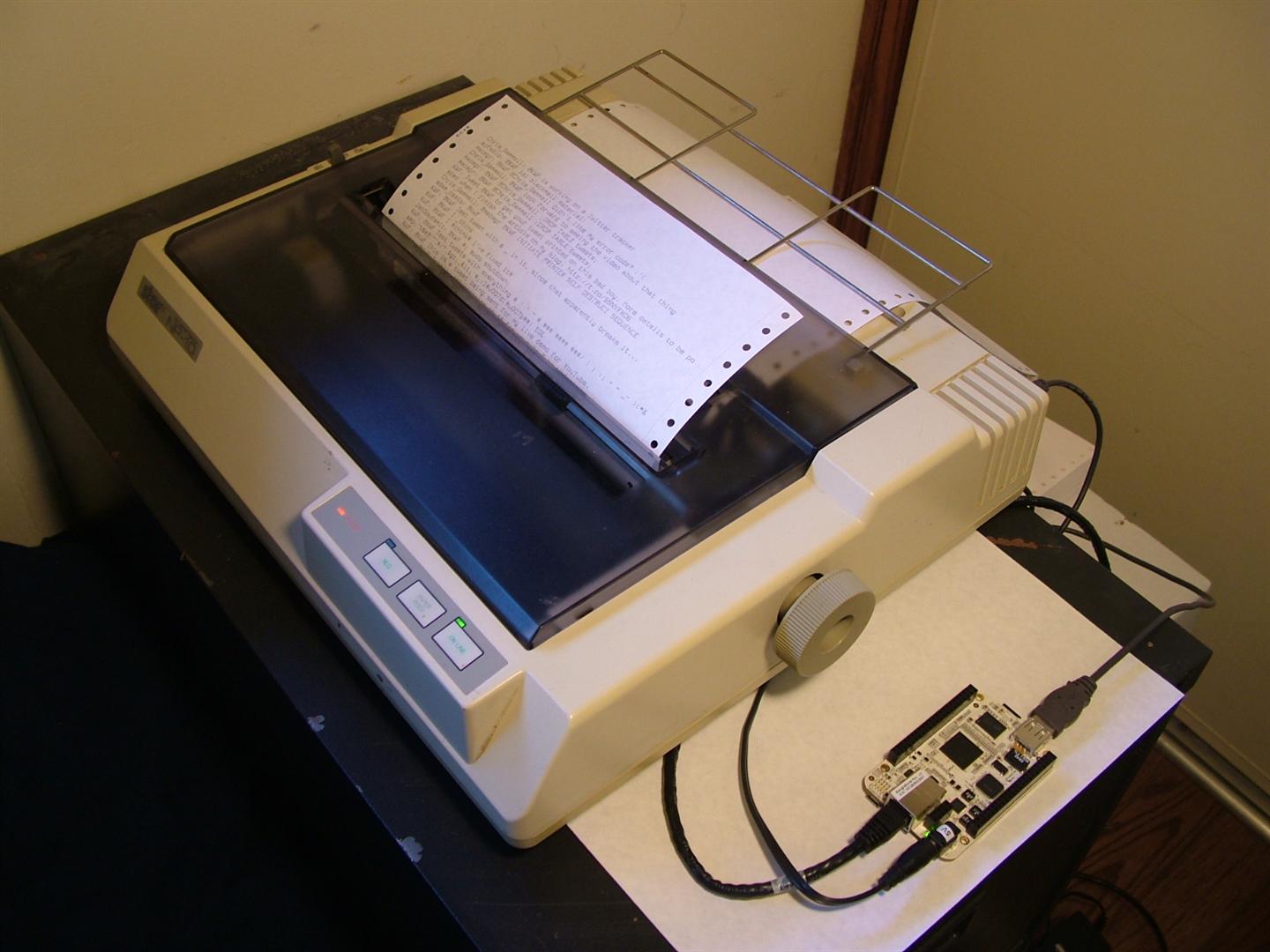
I present… the TwitterMatrixTicker! I currently have it configured to watch for any tweets mentioning me (@KWF), and then having it print each tweet line by line on this great piece of printer history, so feel free to send me tweets and enjoy the thought of them interrupting my evening as they print out on this ridiculous loud monstrosity.
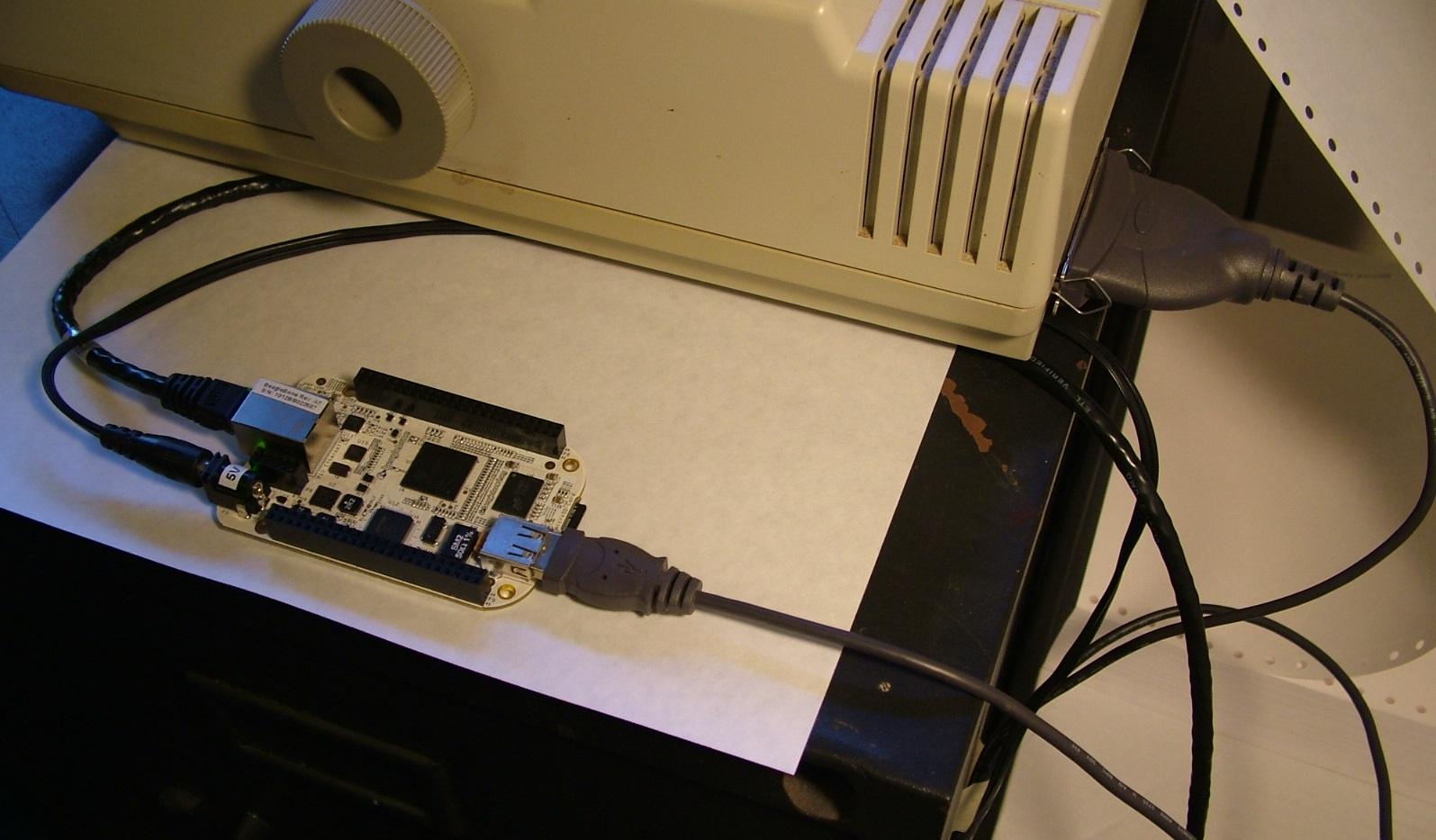
The hardware is relatively straight forward; a BeagleBone (Thanks to TI for giving me one for free!) uses Twitter’s API to search for @KWF tweets, then parses out the usernames and text and sends it to the Star NP-10 over a USB-to-Centronics adapter. I would love to have set up a webcam live-streaming the twitter stream streaming onto my floor, but I’m afraid that local bandwidth limitations make that prohibitive.
I currently have it just printing flat ASCII, but these printers can usually do quick a bit of formatting on their own. I haven’t been able to find a manual for this specific printer, but the Epson FX-80 manual should give you a good idea of the method; while printing text, send “ESCape,command-code” sequences in-line to place the printer into different modes (bold, wide font, underline, higher resolution). The higher resolution, or “Near Letter Quality” mode is a good one to know, because dot matrix printers literally print via an array of metal pins striking a ribbon to the paper. After a single pass, the font is… “dotty,” and doesn’t look very good. By putting the printer into NLQ mode, it takes a second printing pass slightly off-set from the first, to try and smooth out the final result.
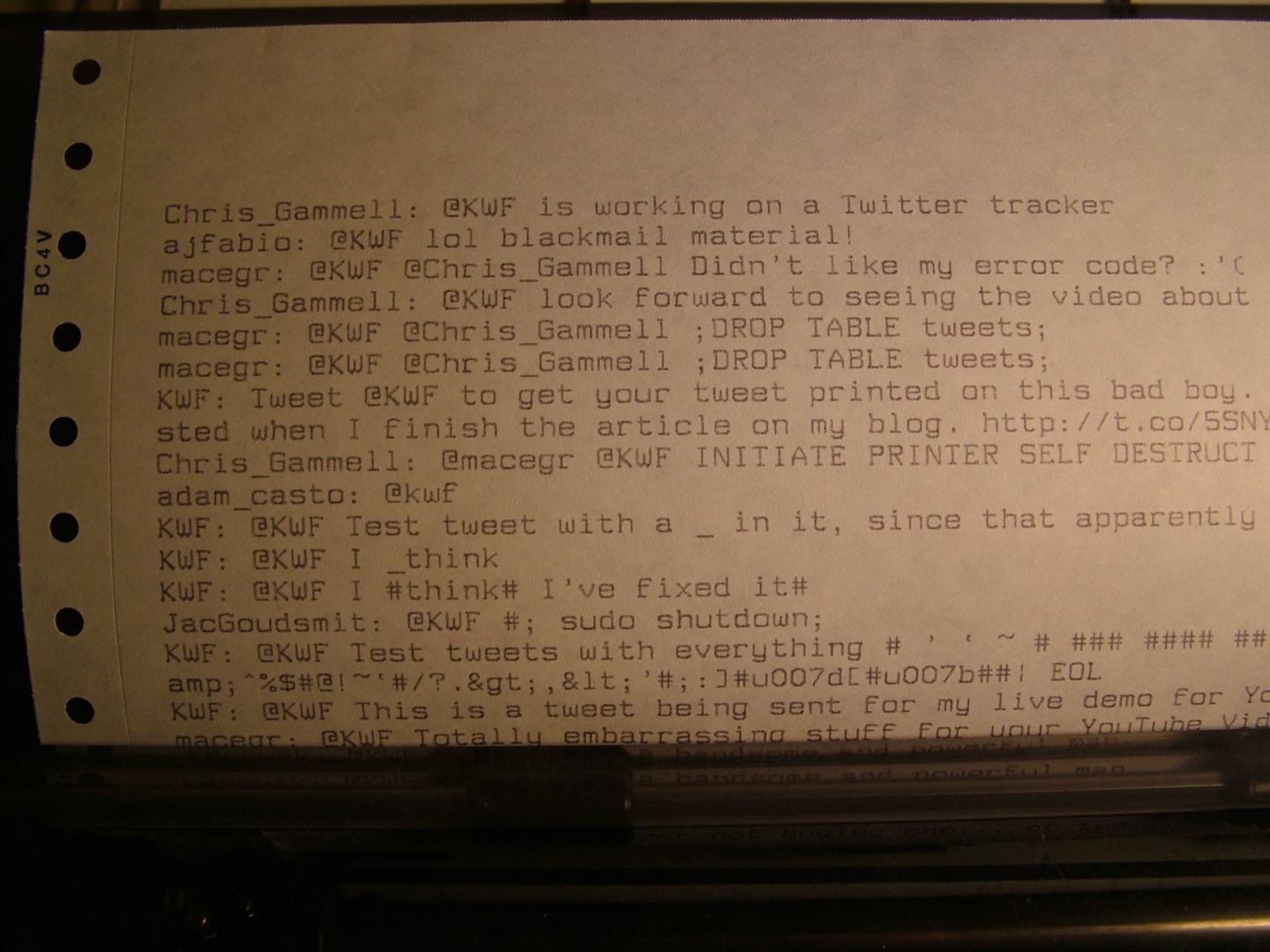
This was all printed in NLQ mode. Considering that this printer is decades old, and that I didn’t have to replace the ink cartridge in it (other than rolling out the next foot of ribbon), I have to say I’m quite impressed with this printer. Modern printers really are terrible…
Like always, I give you the source code for the shell script I wrote for this:
TwitterMatrixTicker.sh
#!/bin/sh
# Kenneth Finnegan, 2012
# kennethfinnegan.blogspot.com
#
# TwitterMatrixTicker
# Given a username and an ascii printer, checks for new mentions and
# prints them one at a time to the printer.
# Expected usage is either spun off into the background >/dev/null or
# on a detachable screen so you can monitor progress.

# What user do we want to monitor for tweets at?
USEROFINTEREST="kwf"

# File paths. The staging is needed since tweets come in
# the opposite order from what I wanted; tac (cat backwards) fixes that
LATESTTWEET="/tmp/twittermatrixticker.latest.$USEROFINTEREST"
STAGING_FILE="/tmp/twittermatrixticker.staging.$$"
OUTPUT_FILE="/dev/usb/lp0"

# Twitter API requests are made progressively slower as no traffic
# is seen. INTERVAL is the number of seconds between tweets, so API
# requests are really made at INTERVAL * REQUEST_LIMIT seconds
LATESTUSER=""
INTERVAL="10"
INTERVAL_LOW="10"
INTERVAL_HIGH="150"
REQUEST_LIMIT="5"

# Check if this is the first time this user's timeline has
# been monitored, preload the state file for twitter timeline progress
if [ ! -f $LATESTTWEET ]; then
	echo "Generating new state file for @$USEROFINTEREST"
	curl -s "http://search.twitter.com/search.json?q=@$USEROFINTEREST&rpp=$REQUEST_LIMIT&include_entries=true&result_type=recent" |
	grep -e "\"max_id_str\":\"[^\"]*\"" |
	awk -F'\"' '{print $4}' >$LATESTTWEET
else
	echo "The last tweet displayed was `cat $LATESTTWEET`"
fi

# Loop forever checking for tweets, printing them, then sleeping
while true; do
	echo "TwitterMatrixTicker with $INTERVAL second interval"
	touch $STAGING_FILE
	# Form the twitter request
	curl -s "http://search.twitter.com/search.json?q=@$USEROFINTEREST&rpp=$REQUEST_LIMIT&include_entries=true&result_type=recent&since_id=`cat $LATESTTWEET`" |
	sed 's/\\\"/#/g' |
	sed 's/\`/#/g' |
	sed 's/\\/#/g' |
	tee /tmp/twittermatrixticker.debug.$$ |
	# Parse out the user names, their tweets, and the latest id number
	grep -o 	-e "\"text\":\"[^\"]*\"" \
			-e "\"from_user\":\"[^\"]*\"" \
			-e "\"max_id_str\":\"[^\"]*\"" |
	# loop through the set of found items and handle them
	while read LINE; do
		FIELD="`echo $LINE | awk -F'\"' '{print $2}'`"
		VALUE="`echo $LINE | awk -F'\"' '{print $4}'`"

		if [ $FIELD = "from_user" ]; then
			# We know who sent the next tweet we see; save this
			LATESTUSER="$VALUE"
		elif [ $FIELD = "text" ]; then
			# We've found a tweet; stage this with cooresponding username
			echo "$LATESTUSER: $VALUE" >>$STAGING_FILE
			echo "Found tweet"
		elif [ $FIELD = "max_id_str" ]; then
			# Save the highwater mark from this request so we can pick up
			# where we left off later.
			echo "$VALUE" >$LATESTTWEET
			echo "The latest tweet is now $VALUE"
		fi
	done

	# Count how many tweets we ended up with, print them, then update
	# the desired interval rate and sleep out the remainder of this
	# interval if we didn't happen to get a complete REQUEST_LIMIT of tweets
	TWEETSFOUND="`wc -l <$STAGING_FILE`"
	echo "Tweets found: $TWEETSFOUND"

	# Reverse tweets into cronological order, and print them one by one
	tac $STAGING_FILE |
	while read LINE; do
		echo "$LINE" >$OUTPUT_FILE
		# Spread out printings so I can feel more popular
		# and it seems less bursty
		sleep "$INTERVAL"
	done
	rm $STAGING_FILE

	# Check to see if there was new tweets in this request
	# If not, slow down requests, since this user doesn't get much traffic
	if [ $TWEETSFOUND = "0" ]; then
		echo "Slow it down"
		INTERVAL="$(($INTERVAL + 1))"
		if [ "$INTERVAL" -gt "$INTERVAL_HIGH" ]; then
			INTERVAL="$INTERVAL_HIGH"
		fi
	else # Found some, speed up the requests
		echo "Speed it up"
		INTERVAL="$(( $(( $INTERVAL / 2)) + $((INTERVAL_LOW / 2)) ))"
	fi

	TIME_LEFT="$(( $(( $REQUEST_LIMIT - $TWEETSFOUND)) * $INTERVAL ))"
	sleep "$TIME_LEFT"
done
Just change the user name on the first line, the output file to your printer device, and the timing limits if you want to pound Twitter more often than every 15 minutes, which I have it set up for. This would probably lend itself well as a cron script, but I felt like writing it as a busy loop to make the dynamic API request intervals easier.